Before I publish anything, I check how it’s actually going to look when someone shares it. Copy the URL into a preview tool, wait for it to scan, read through the results, come back to what I was doing. Every time.
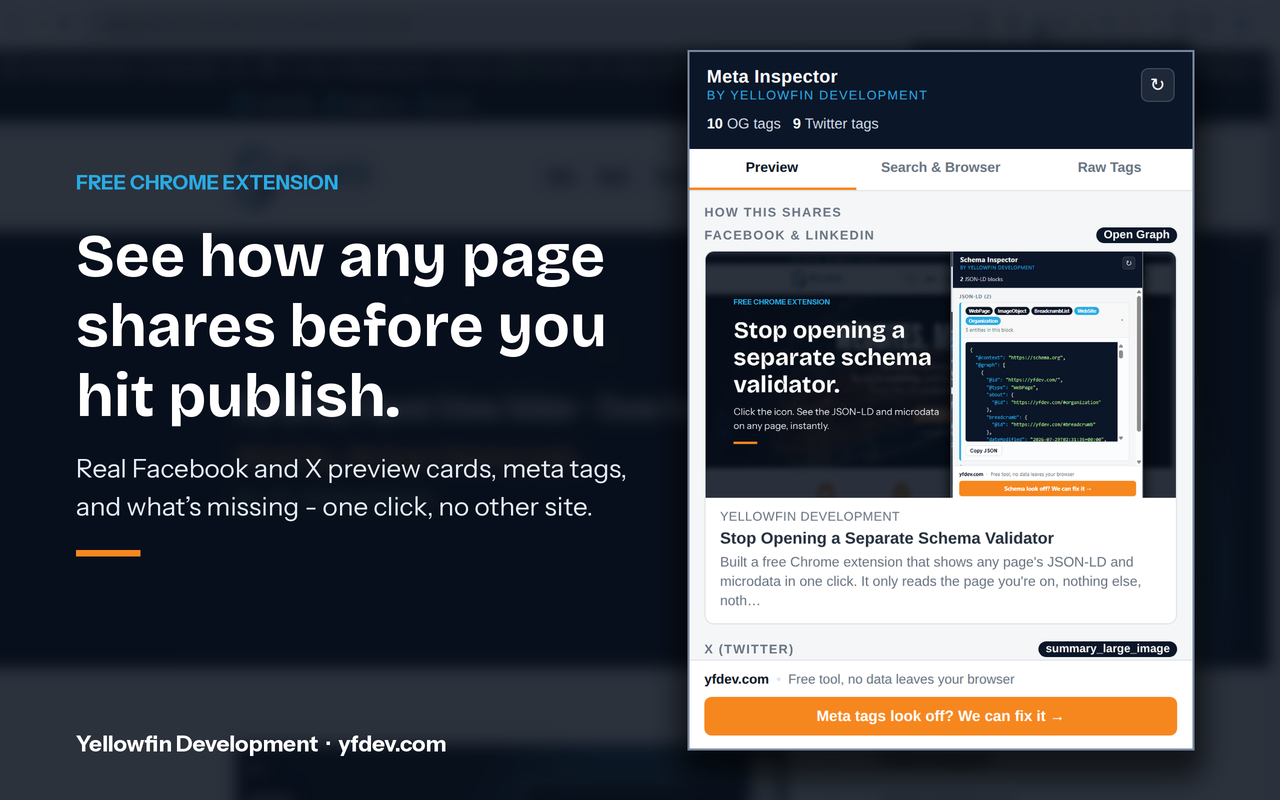
So I built Meta Inspector – a free Chrome extension that reads a page’s meta tags, Open Graph data, and Twitter Card data, then shows you the real preview card: what it’ll actually look like on Facebook, LinkedIn, and X, without ever leaving the tab.
It’s Not a New Idea
Sites like opengraph.xyz already do this, and they do it well. I still ended up using one every time I published something, which was the actual problem: copy the URL, paste it into a separate site, wait for it to scan, read the results, come back. A few extra steps, every single time, for something I do constantly.
This simplifies the entire process by accomplishing the task with a single click.
On permissions: Meta Inspector only asks for activeTab. It reads the page you’re on, only for the second you click the icon. Nothing running in the background, nothing leaves your browser.
“If a tool only works by reading one page at a time, it doesn’t need permission to read every page, all the time.”
What It Actually Shows
Click the icon and it reads the title, meta description, canonical, and robots directives – each with a live character count, so you know before Google or X does whether something’s going to get cut off. Then it shows the real thing: rendered Facebook/LinkedIn and X preview cards, built from whatever Open Graph and Twitter Card tags are actually on the page, with the same fallback behavior those platforms use for real.
If something’s missing – no og:image, no twitter:card, a title running long – it says so, in plain language, right where you’d see it.
It also reads the live page exactly as loaded in your browser, not a fresh fetch from somewhere else. That catches tags added by JavaScript after the page loads, which a lot of view-source-style checkers miss entirely. I built a similar tool a few weeks back called Schema Inspector, for checking a page’s schema.org markup instead of its social tags – same idea, same reason: show what’s actually there right now, not just what’s sitting in the static source.
Get Meta Inspector
What It Reads
Title, meta description, canonical, robots, Open Graph, and Twitter Card data on the current tab – plus a rendered preview of how it shares.
Permissions
activeTab only. No standing access to any site you visit.
Price
Free. No signup, no account.
Get It
Need Help?
Want to know what your page actually says about itself before you hit publish? That’s part of what the AI Search & Visibility service covers. Reach out anytime.